Stop-loss plans. Alerts on your terms.
Monitor positions, combos and individual legs. Tailor your alerts and set layered exits, including combo selling through RFQ. Sentinel and Watchtower, together in Anveric.
Create your free account and explore both app previews today.
One workspace · Desktop and mobile
Sentinel protection. Watchtower awareness.
Take a closer look. Create a free account to explore the interactive desktop and phone previews.
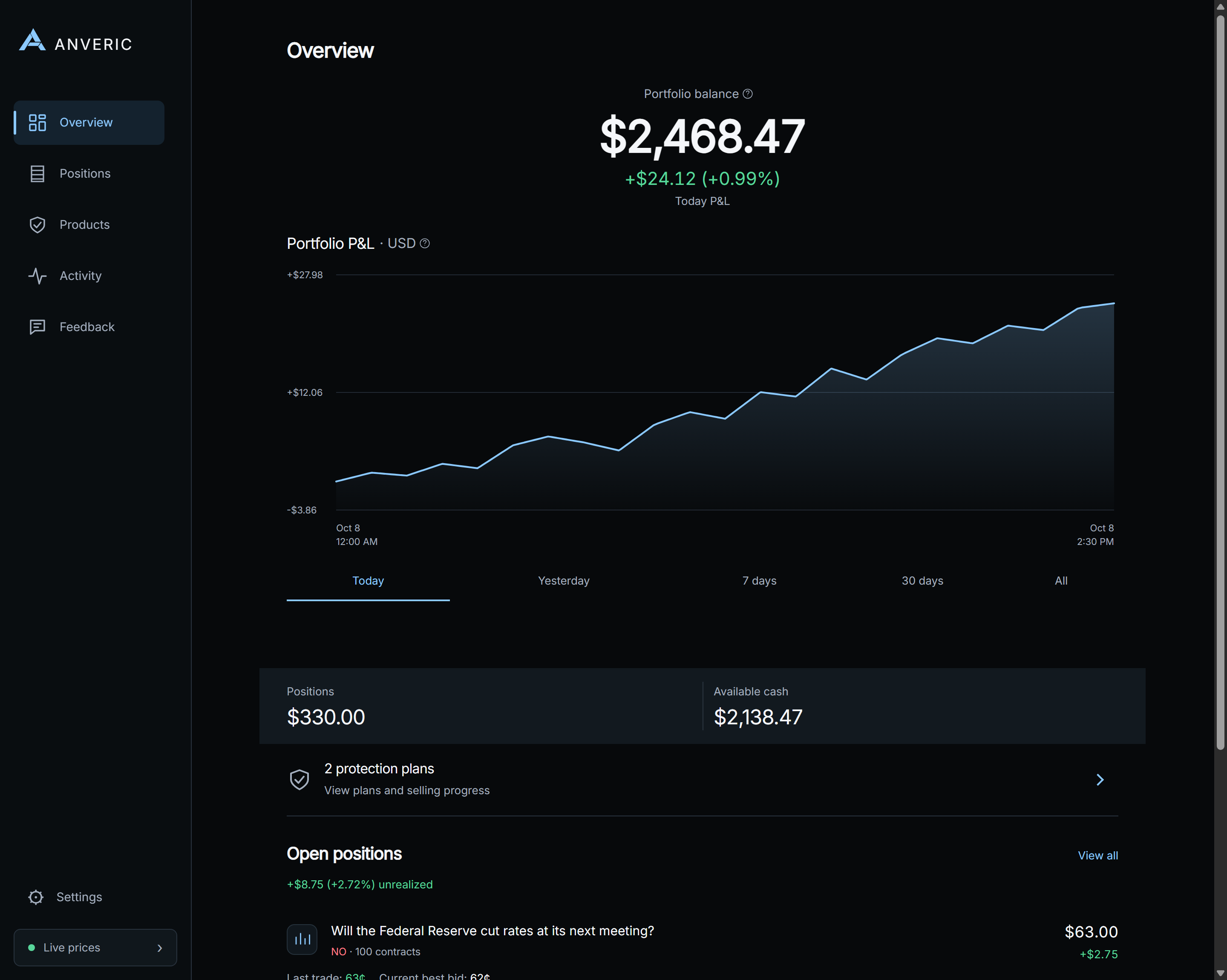
Your portfolio, wherever you are
Follow positions and combo legs, set custom alerts and manage Sentinel plans from your paired phone.
Sentinel · Controlled execution
Layered exits for your positions
Build layered stop-loss plans for positions and combos. Choose your triggers and selling quantities, with optional emergency protection. Sentinel handles selling while Watchtower keeps you informed.
Staged protected selling
Choose entry-relative or fixed-price triggers activated by the last traded price.
Sell in portions
Choose how much of your position to sell at each stage.
Emergency exits
Add emergency protection to individual positions or the portfolio positions you review. Standard positions use best bid; RFQ combo plans use last trade.
Combo selling through RFQ
Apply staged exits and emergency protection to a whole combo. Sentinel requests quotes and can sell through Kalshi’s request-for-quote (RFQ) system under the plan you arm.
You stay in control
Review and confirm your plan on desktop or your paired phone, with execution handled by your desktop.
Custom alerts, your way
Fine-tune price and loss alerts for each position, share defaults across your holdings, and monitor losses across your portfolio.
Your rules
Alerts tuned to how you trade
Set shared alerts, customize individual positions, and add multiple conditions for the moves that matter to you. Follow losses on one holding or across your portfolio.
- Price movement from entry, from now or from a chosen price
- Position and portfolio loss rules in percent or dollars
- One-time or continuing alerts, with per-position overrides
Combos and legs
Follow the whole combo and each leg
See your combo position alongside its individual legs. Track leg prices and changes since purchase, then add alerts for selected legs without losing sight of the whole position.
- Whole-combo price and position monitoring
- Individual leg prices and purchase comparisons
- Selected-leg alerts alongside your combo rules
Alerts wherever you are
Know the moment something moves
Prompt movement, loss, and trade notifications show the actual captured move and amount alongside the original details. In-app history highlights gains and losses in green or red and records each alert’s delivery status.
- Real captured move and amount, with the original details
- In-app history highlights gains / losses in green or red
- Delivery status recorded for each alert
Portfolio in view
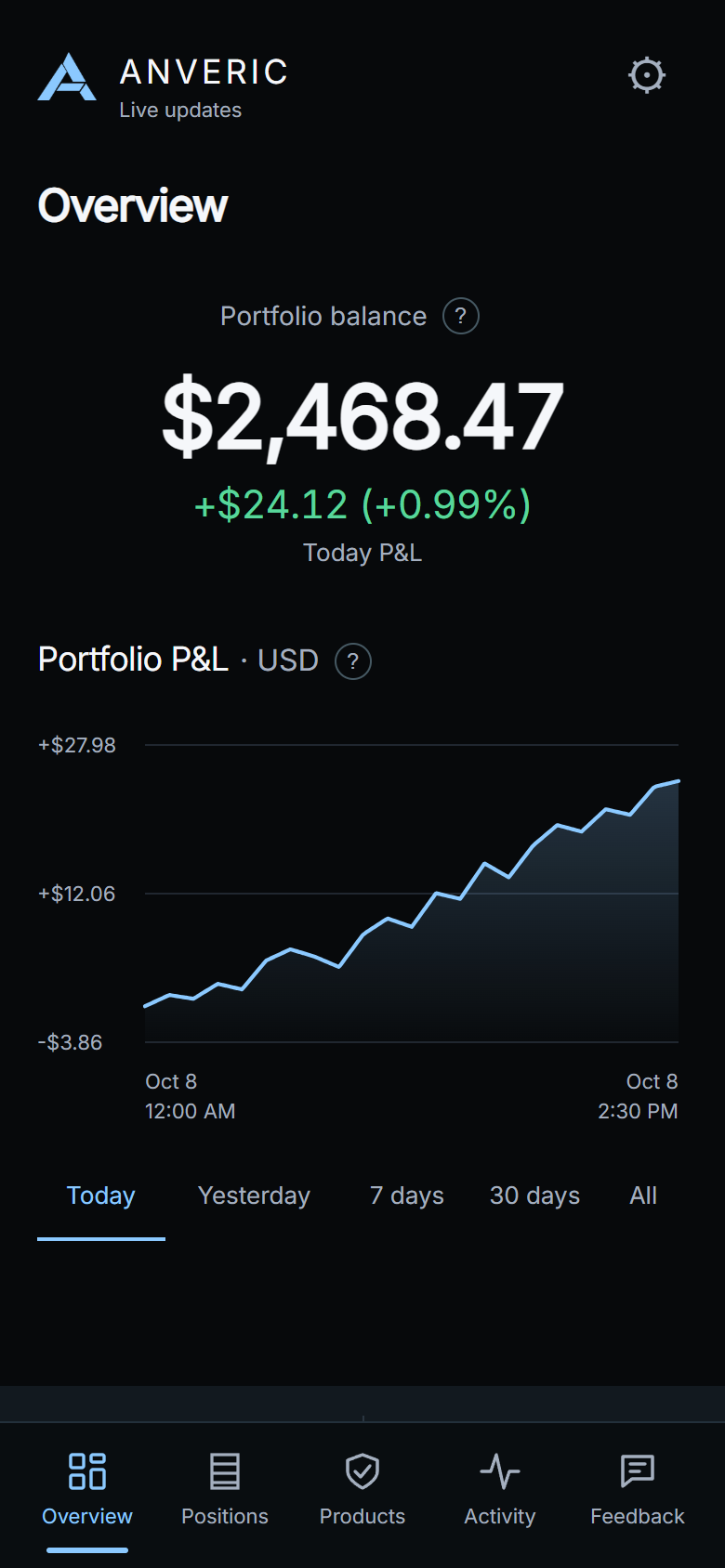
Follow balance, P&L, and positions
Follow your portfolio balance, position values and open-position P&L as market prices change.
- P&L across Today, Yesterday, 7 days, 30 days, and All time
- Clear states when there is not yet enough history
- Per-position unrealized gains and losses
Steady connection
Recovers on its own, and tells you when it can’t
Watchtower reconnects automatically after a hiccup and notifies you if your desktop becomes unreachable, then again when it is back. Financial alerts stay immediate, and failed deliveries retry within provider limits.
- Automatic connection recovery
- Desktop-unreachable and back-online notices
- Immediate financial alerts with delivery retries
Market depth
See beyond the best bid
Open the order book from position details, alert setup or a protection plan. See the available bids and asks before choosing your next step.
- Price levels and depth in dollars or contracts
- Last trade and spread together
- Available on desktop and paired phone
Local-first · Runs on your desktop
Ready to set up at launch
Watchtower and Sentinel run together in one desktop app on your own machine. They monitor your prediction market portfolio, stay ready with the exit plans you arm, and reach your phone when you step away.
- 01
Install Anveric
At launch, install the desktop app on your Windows PC or Mac. Monitoring runs locally on your own machine.
- 02
Pair your phone
Scan the QR code shown by the desktop app to link the Android or iPhone companion.
- 03
Stay informed
Follow your portfolio, set alerts and review protection plans from your paired phone.
Your desktop must stay awake, online, and running Anveric.
- WindowsAt launch
- AndroidAt launch
- iOSAt launch
- macOSAt launch
Roadmap
Two products at launch, an ecosystem ahead
Watchtower and Sentinel launch Monday, October 26. Explore their desktop and mobile previews now. Hawkeye is our next product in active development, with Oracle also in development. Both are coming soon.
WATCHTOWER™
Prediction market portfolio monitoring and alerts.
SENTINEL™
User-configured staged selling and emergency exits, for one position or across your reviewed portfolio.
HAWKEYE™
Track order-book depth, liquidity, spreads and trading activity before or after entry, on a schedule you choose.
ORACLE™
Designed for near-instant AI summaries of potential catalysts as news breaks, ranked by relevance, from sources you choose.
Hosted 24/7 monitoring, so your PC would not need to stay awake, is also planned.
FAQ
Straight answers
What can I do before launch?
Create a free account and explore the desktop and mobile previews now. Free 24-hour trial license keys, downloads and purchases open Monday, October 26. Your trial starts only after successful activation in the installed desktop app. No card required.
How do Kalshi stop-loss plans work in Anveric?
Choose last-trade triggers and how much to sell at each stage. Individual plans support entry-relative or fixed prices; portfolio stages use percentage drops from each reviewed position’s entry. Emergency exits use best bid for standard positions and last trade for RFQ combos.
Can I set custom Kalshi alerts?
Yes. Follow price movement from entry, from now or from a chosen price, with one-time or continuing alerts. Add position-loss, portfolio-loss and selected combo-leg conditions. Share defaults or customize individual rules.
Can I monitor combos and individual legs?
Yes. Watchtower shows whole-combo positions and their individual legs, including leg prices and changes since purchase. You can add selected-leg alerts alongside the combo’s own rules.
Can Sentinel sell a combo through RFQ?
Yes. Combo plans support staged and emergency selling through Kalshi’s request-for-quote (RFQ) system. You review and arm the plan with its combo-specific consent. Selling applies to the whole combo, not individual legs; your desktop handles execution.
How do I share feedback?
Use Feedback in the desktop or paired phone app to describe what happened, attach diagnostics when needed, and review your previous submissions.
How does monitoring work?
Watchtower runs on your Windows PC or Mac. At launch, pair the Android or iPhone companion to view positions, review activity and receive alerts wherever you are.
What stays on my desktop?
Exchange credentials and execution stay on your desktop. Dashboard data, alerts and requested changes pass through our connection service so your paired phone can stay in sync.
Does my desktop need to stay on?
Yes. Because monitoring runs locally, your desktop must stay awake, online, and running the app for alerts to be generated. Hosted 24/7 monitoring that would remove this requirement is planned, not available today.
What does an alert’s “delivery status” mean?
Delivery status shows whether the notification provider accepted an alert for sending. Open an activity entry to review its status and original details.
What is the difference between Watchtower and Sentinel?
Watchtower keeps your portfolio in view with live monitoring and alerts. Sentinel adds intelligent, multi-layered stop-loss execution with selling stages and emergency exits that you customize.
How far back does P&L history go?
You can view P&L across Today, Yesterday, 7 days, 30 days, and All time since tracking began. When there is not yet enough history for a period, Watchtower shows a clear insufficient-history state rather than inventing numbers.
How do I install the apps, and what platforms are supported?
Create an account and verify your email now. Trial license keys and downloads for Windows, macOS, Android and iOS open Monday, October 26. Your 24-hour trial starts only after successful activation in the installed desktop app.
Can I see the order book in Anveric?
Yes. Open market depth from position details, alert setup or Sentinel. Compare bids, asks and spread, and switch amounts between dollars and contracts.
Is Anveric a Kalshi bot?
Anveric provides portfolio monitoring and custom alerts, with optional automated selling through Sentinel plans you configure and confirm. Your desktop runs execution, while the paired phone lets you review and manage plans.
Is Anveric affiliated with Kalshi?
No. Anveric is independent software for Kalshi users and is not affiliated with, endorsed by, or operated by Kalshi. Nothing here is financial advice, and no returns or outcomes are guaranteed.